
VMS carries five distinct meanings across five different industries. You might search “VMS” hoping to find a security camera platform, a staffing tool, a legacy computer system, or a lobby check-in kiosk. Each meaning solves a completely different problem. Here’s how every version breaks down, so you land on the right answer fast.
What Does VMS Stand For?
VMS stands for several full terms depending on your industry. Video Management System covers security and surveillance software. Vendor Management System covers staffing and procurement. OpenVMS, originally called Virtual Memory System, covers a legacy enterprise operating system. Visitor Management System covers front-desk check-in software. VMs, the plural form, simply means Virtual Machines.
Which industry are you working in right now? That answer usually points straight to your correct definition.
What Is a Video Management System (VMS)?
A Video Management System combines software and hardware so you can monitor, record, store, and analyze footage from multiple security cameras. Retail stores, construction sites, and large enterprises rely on a VMS to manage hundreds of IP cameras from one dashboard.
Modern platforms go far beyond simple recording. Your system can flag suspicious motion the instant it happens. Automated alerts reach your security team right away. AI-driven analytics can identify a license plate or recognize a face within seconds. Connect alarms and intercoms to the platform, and a passive camera feed turns into an active security layer.
Do you manage more than a handful of cameras? A dedicated VMS platform can save your team hours of manual footage review every week.
What Is a Vendor Management System (VMS)?
A Vendor Management System is cloud-based software that helps you manage and procure staffing services. HR departments use it to control contingent labor costs and stay compliant with employment regulations.
VMS platforms grew out of an older staffing model. VMS emerged as an evolution of the Master Service Provider and Vendor-On-Premises concept, a model that gained traction between the late 1980s and mid-1990s as large enterprises searched for ways to cut outsourcing costs. Today’s platforms automate that entire workflow, from sourcing temporary workers to managing statements of work with staffing suppliers.
The global market backs up how fast this category has grown. Analysts estimated the vendor management system market at $10.42 billion in 2025, with growth projected to reach $20.69 billion by 2032, a compound annual growth rate of 10.30%. That kind of growth signals real, sustained demand from HR and procurement teams worldwide.
What Are the Two Types of VMS?
Vendor software splits into two distinct categories, and mixing them up can lead you to the wrong purchase. Vendors fall into two main groups: suppliers of goods and services on one side, and contingent workers, contract agencies, and services providers on the other, each supported by its own category of software.
Supplier management software handles the first group: physical goods, raw materials, and outside service providers. A VMS in the staffing sense handles the second group: temporary workers, freelancers, and staffing agency relationships. Your business may need one type or both, depending on how you source talent and materials.
What Is the Difference Between an MSP and a VMS?
An MSP and a VMS solve related problems from opposite angles. A Managed Service Provider is a human-led team, often a master vendor, that takes responsibility for your contingent workforce program on-site. A VMS is the software platform that powers the process behind the scenes.
Many organizations run both together. Your MSP sets strategy, negotiates rates, and manages agency relationships. Your VMS handles the technical layer: job postings, timesheets, invoicing, and compliance tracking. Picture the MSP as the driver and the VMS as the vehicle.
What Is OpenVMS?
OpenVMS, originally called VMS or Virtual Memory System, is a highly secure, multi-user, clustering operating system built by Digital Equipment Corporation decades ago. Banks, hospitals, and critical infrastructure providers still run it today for one standout reason: uptime. Systems on OpenVMS have run for years, sometimes decades, without a single reboot.
VMS Software, Inc. currently develops and maintains the platform. If your organization runs legacy financial or healthcare systems, OpenVMS may already sit quietly behind your most critical operations.
What Is a Visitor Management System (VMS)?
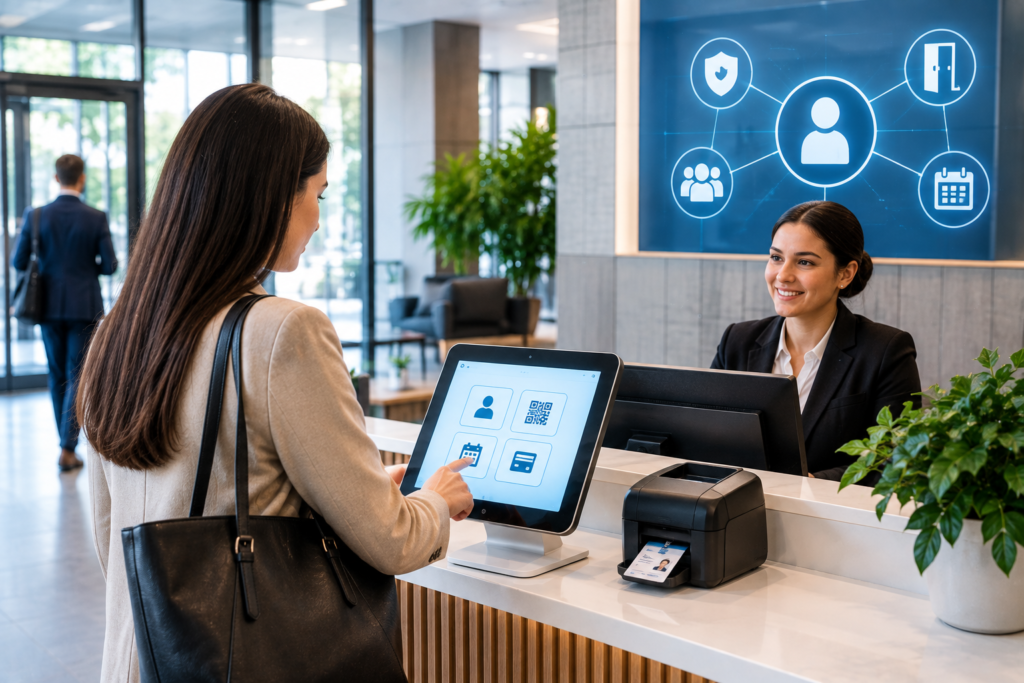
A Visitor Management System tracks and logs everyone who enters your building. Digital check-in kiosks replace paper logbooks at the front desk. You can sign NDAs right at the kiosk instead of shuffling paper. Your host gets notified the moment a guest checks in, and a printed badge wraps up the process in seconds.
Offices adopt this kind of system for a simple reason: compliance and security both improve once paper logs disappear. A digital record stays intact through every office move, unlike a paper log that can end up lost or misplaced.
What Do VMs Mean in Cloud Computing?
VMs, without the extra letters, simply means Virtual Machines: software-based emulations of physical computers, and each one runs its own operating system on a single physical host server. Cloud providers across Pakistan and worldwide now build entire data centers around this concept.
Pakistan’s own cloud market shows the trend clearly. NASTP’s Special Technology Zone recently partnered with Khazana Cloud to launch a Tier 3 data center that delivers virtual machines, storage, backup, and compute resources to government and private clients. Compute and VM services now run on local infrastructure, a shift that keeps both data and foreign exchange inside the country.
How Does Alkhidmat’s VMS Work in Pakistan?
Alkhidmat Foundation Pakistan runs its own Volunteer Management System to organize volunteers nationwide. The foundation’s chairman has set a clear target for the platform: bringing together one million volunteers worldwide, building on an existing network of more than 100,000 dedicated individuals.
The scale of the foundation’s work explains why dedicated software matters here. In 2024 alone, Alkhidmat Foundation reported reaching over 22 million lives, distributing 182,926 food packs, sponsoring 29,926 orphans, and completing 23,831 water projects across Pakistan. A volunteer base that large needs software, not spreadsheets, to track hours, assign projects, and coordinate disaster response.
You can register through the Alkhidmat VMS portal online. The system handles volunteer sign-up, event participation, and regional coordination in one place.
What is VMS at NASTP?
NASTP, Pakistan’s National Aerospace Science and Technology Park, hosts a large cluster of tech companies and government partners. Large facilities like this typically rely on visitor management tools to log foot traffic, issue passes, and secure sensitive zones. Search interest around “VMS NASTP” likely points to this kind of front-desk access system rather than one specific named product.
How Do You Access VMS Login, VMS Online, or VMS for PC?
Search terms like “VMS login,” “VMS online,” and “VMS for PC” almost always relate to a specific platform your organization already uses. Your login portal depends entirely on which VMS applies to you.
Start with three checks. Confirm which type of VMS you need: security, staffing, volunteer, or visitor management. Locate the exact web address your employer or organization provided. Contact your system administrator if a password reset or account setup stands between you and access.
What Is a VMS Camera?
A “VMS camera” search usually points back to video management systems. Security teams often use this exact phrase when they research which camera brands integrate smoothly with their existing VMS software. Compatibility matters here: always confirm your camera hardware supports the video codec and protocol your VMS platform requires before you buy.
What Is a VMS School System?
Schools increasingly run VMS platforms for two separate jobs. A video management system secures campus grounds through camera monitoring. A visitor management system tracks every parent, contractor, and guest who walks through the front door. Many districts now run both side by side, adding visitor accountability on top of physical security.
Which VMS Meaning Applies to You?
Five industries, one acronym, five completely different tools. Security teams need video management. HR departments need vendor management. IT teams that run legacy infrastructure may still depend on OpenVMS. Office administrators need visitor management. Cloud engineers work with VMs every day.
FAQs
1. What is a VMS?
VMS stands for Visitor Management System. It is a digital solution that helps organizations register, track, and manage visitors entering their offices, facilities, campuses, or other locations.
2. How does a Visitor Management System work?
A VMS typically allows visitors to check in using a kiosk, tablet, or reception desk. The system can record visitor details, notify employees, print visitor badges, and maintain digital visitor records.
3. What are the benefits of a VMS?
Key benefits include improved security, faster visitor check-in, accurate visitor records, better employee notifications, reduced paperwork, and a more organized reception experience.
4. What features should a VMS include?
Common features include visitor registration, digital check-in, badge printing, host notifications, visitor tracking, appointment management, access control integration, reporting, and visitor history.
5. Is a VMS useful for small businesses?
Yes. Small businesses can use VMS solutions to improve front-desk efficiency, maintain visitor records, and create a more professional and secure visitor experience.
6. Can a VMS improve workplace security?
A VMS can support workplace security by recording who enters a facility, notifying hosts about arrivals, managing visitor badges, and providing visitor information when needed.
7. Can VMS integrate with other business systems?
Many modern VMS platforms can integrate with access control systems, calendars, identity management platforms, security systems, and other workplace technologies.
8. Is visitor information stored securely in a VMS?
Security depends on the specific VMS provider and its configuration. Organizations should evaluate encryption, access controls, data retention policies, compliance features, and other security measures before selecting a solution.
9. What is the difference between VMS and traditional visitor logs?
Traditional visitor logs usually rely on paper records, while a VMS digitizes visitor registration, notifications, tracking, reporting, and other administrative processes.
10. How do businesses choose the right VMS?
Businesses should consider visitor volume, required features, integrations, security requirements, ease of use, scalability, reporting capabilities, and the overall cost of the solution.
Conclusion
A Visitor Management System (VMS) provides organizations with a structured way to manage visitors while improving reception efficiency and supporting workplace security. From digital check-ins and visitor badges to employee notifications and reporting, a VMS can replace many manual visitor-management processes.
As workplaces become increasingly digital, organizations can use VMS technology to create a smoother visitor experience while maintaining accurate and accessible visitor records. The right solution should match the organization’s security requirements, visitor volume, technology environment, and future growth.
USA Parameter provides practical insights, reliable information, and useful resources to help readers make informed decisions and stay updated.