
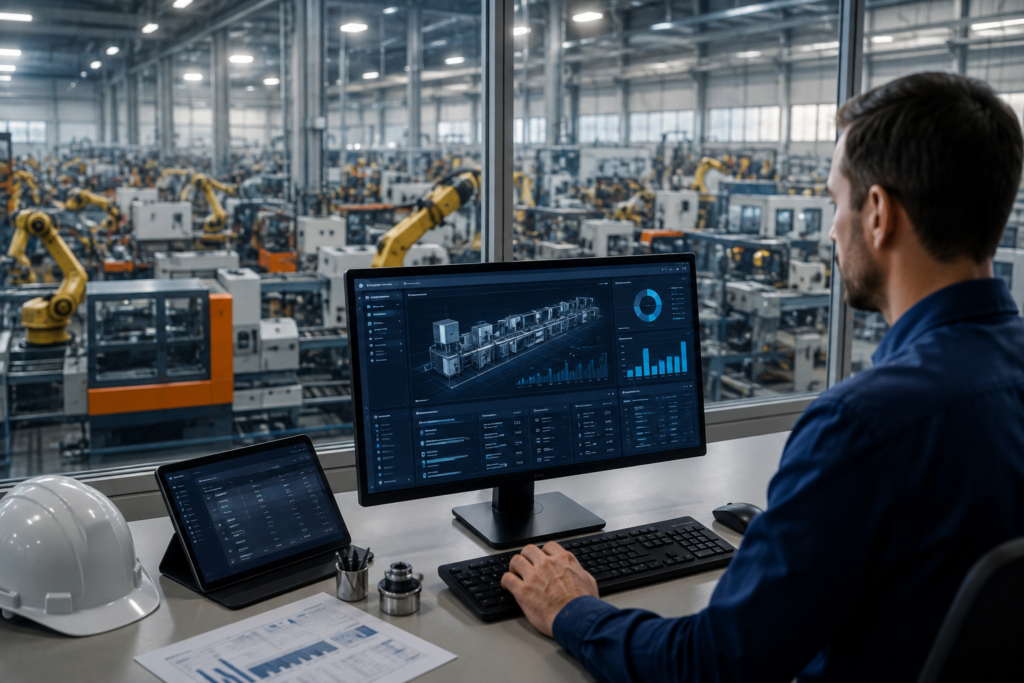
A manufacturing ERP system connects every stage of your production floor to one digital record. Standard ERP software handles accounting and back-office paperwork. A manufacturing ERP goes further. It pulls live floor data into your supply chain, so raw materials, work-in-progress items, and production workflows sit inside a single unified platform (Priority Software; Epicor).
Why should you care about this distinction? Generic accounting software can’t schedule a machine, track a batch number, or flag a parts shortage before it stalls your line. A purpose-built manufacturing ERP does all three, and it does them in real time. The result: fewer stockouts, tighter margins, and a production schedule you can actually trust.
What Core Features Should a Manufacturing ERP Include?
Floor operations need tools that a generic accounting package simply doesn’t offer (Genius ERP). Look for these five capabilities before you sign any contract.
Material Requirements Planning (MRP). MRP calculates the materials you need, the quantities required, and the exact timing for each order, so shortages stop derailing your production runs (SAP; Deltek).
Bill of Materials (BOM) management. A BOM module builds a granular blueprint for every product you build. Costs and parts get tracked down to the smallest component, which keeps your engineering and finance teams working from the same numbers (Epicor; Deltek).
Production scheduling and shop floor control. Live dashboards optimize machine allocation, track labor hours, and give you visibility into active work orders as they move through your floor (Deltek).
Traceability and compliance. Regulated sectors — aerospace, pharmaceuticals, food production — depend on structured records of serial numbers, batches, and quality audits. A manufacturing ERP keeps that trail intact automatically (IFS; Priority Software).
Predictive, AI-assisted planning. Newer platforms add a fifth layer on top of the classic four. Machine-learning models now sit inside the ERP itself and monitor production, inventory, and vendor data around the clock. Risk gets flagged early, before it turns into a missed delivery.
How Does AI Change Manufacturing ERP in 2026?
Manufacturing ERP has moved past the “add a chatbot” phase. Panorama Consulting’s 2025 ERP report found that 72.6% of organizations have already deployed AI somewhere in their operations — a number that reframes AI as table stakes, not a differentiator. Three forces stand out this year.
Agentic AI takes over routine decisions. Operations leaders once asked the system for a report. Now they supervise software agents that act on the data directly: a production reroute, a purchase order, a maintenance trigger, a stakeholder alert, all without a human prompt behind each step.
Composable, headless architecture replaces the monolith. Buyers now favor modular components over one rigid platform locked in for a decade. They can swap a single module, scale it independently, and keep the rest of the stack untouched. That shift also hands buyers more negotiating leverage, since a composable stack lowers the cost to change vendors.
Predictive risk management replaces reactive firefighting. Legacy ERP alerts you after a supplier misses a deadline. AI-driven platforms flag the risk earlier, reroute shipments, and rebalance inventory before the delay reaches your customer.
A few supporting numbers make the shift concrete. Cybersecurity now ranks second only to operational performance as a driver of manufacturing IT investment, cited by 34% of respondents in Rootstock’s 2026 survey, and 75% of mid-market manufacturers have raised their AI-enabled security budgets. The same survey found a sharp jump in another metric, too: the share of manufacturers who expect ERP to improve employee retention rose from 18% in 2024 to 30% in 2026. ERP now gets evaluated on workforce impact, not on throughput alone.
Which Manufacturing ERP System Fits Your Business Best?
Your production style, not your budget alone, should drive this decision (Solutions Review). Here’s how the leading platforms differ.
NetSuite ERP. Oracle’s cloud platform suits mid-sized to enterprise operations that need multi-currency inventory handling and integrated supply chain workflows in one place. It works well if your operation already spans multiple regions or currencies.
Acumatica Cloud ERP. A flexible SaaS option built for small to mid-market manufacturers. It accommodates make-to-order, batch processing, and configure-to-order models without forcing you into a rigid template.
Epicor Kinetic. A veteran system for engineer-to-order and highly customized discrete manufacturers. Its product configurator updates part numbers, bills of materials, and pricing tiers automatically as specifications change.
SAP S/4HANA. An enterprise-tier platform for large-scale operations with complex international logistics. Built-in predictive MRP and machine-learning forecasting help you anticipate vendor delivery problems before they hit your schedule.
Genius ERP. A niche solution built exclusively for small-to-medium custom manufacturers. Out-of-the-box MRP and scheduling frameworks cut the long custom-coding timelines that generic platforms usually require.
Microsoft Dynamics 365. A common mid-market pick when you already run on the Microsoft stack, since it integrates tightly with Power BI, Teams, and Azure-based AI tools.
Ask yourself three questions before you shortlist a vendor: What do you manufacture? What’s your production style — repetitive, make-to-order, or batch? And how many system users do you actually need to license?
Cloud vs. On-Premise: Which Deployment Actually Costs Less?
The upfront quote rarely tells the real story. A cloud vendor might quote $3,000 a month; an on-premise vendor might quote $75,000 upfront. On sticker price alone, on-premise looks cheaper. Run the full total cost of ownership, and the answer usually flips.
On-premise deployments front-load cost. Perpetual licenses typically run $1,200 to $5,000 or more per named user, and a new on-premise implementation commonly needs $375,000 to $1.45 million in year-one capital before it even goes live. After that, expect $150,000 to $400,000 a year in support, infrastructure upkeep, and dedicated IT staff, plus a hardware refresh every five to seven years.
Cloud ERP shifts that spending into a predictable subscription. Small-to-mid manufacturers can expect to pay $6,000 a year for a lightweight tool, scaling up to $250,000 or more for an enterprise deployment, with implementation typically landing between $50,000 and $500,000 for small-to-mid businesses. Independent studies put cloud’s five-year total cost of ownership 30% to 50% below a comparable on-premise system, and on-premise deployments often don’t break even until year nine or later.
Timeline matters just as much as cost. Cloud deployments typically finish in four to nine months. On-premise projects often run eight to eighteen months, which delays your return on investment by a full year or more in many cases.
So when does on-premise still make sense? It remains common in sectors with strict data-residency, air-gap, or latency requirements — defense, healthcare, and financial services among them. Outside those constraints, most growing manufacturers now find cloud ERP wins the cost comparison outright.
What Should You Budget for Beyond the License Fee?
Software licensing typically represents only 15% to 25% of your total ERP budget. The rest goes toward implementation, training, data migration, integration, and ongoing support — and skipping that math is the single most common reason ERP projects blow past budget.
Build your estimate around five components:
- Licensing or subscription fees, whether perpetual or per-user monthly
- Implementation services, including configuration and customization
- Data migration, moving existing records into the new system cleanly
- Training, which determines whether your team actually adopts the tool
- Ongoing support and maintenance, typically 15% to 20% of license cost annually for on-premise systems
Experts also recommend padding your budget by 10% to 25% for hidden costs: downtime during cutover, unplanned integration work, and temporary productivity losses while your team adjusts to new workflows.
How Do You Choose the Right Manufacturing ERP for Your Operation?
Start with your production method, not a vendor’s feature list. A custom-machinery shop running engineer-to-order work needs a different configurator than a food processor running batch production under strict traceability rules.
Next, map your deployment constraints. Do you operate in a regulated industry with data-residency requirements? That alone might tilt you toward an on-premise or private-cloud option, even at a higher total cost.
Finally, weigh vendor stability. Enterprise software M&A activity has surged 30% to 40% year-over-year, approaching $600 billion in 2026, which means today’s stable vendor could become tomorrow’s acquisition target. Prioritize providers with a clear product roadmap and demonstrated staying power in your specific industry.
Frequently Asked Questions
What does ERP stand for?
ERP stands for Enterprise Resource Planning — software that unifies core business processes like finance, inventory, and production into one system.
How much does a manufacturing ERP system cost?
Costs range widely: roughly $6,000 a year for a lightweight cloud tool, up to $250,000 or more annually for a full enterprise deployment, depending on user count, modules, and industry-specific requirements.
Is cloud ERP secure enough for manufacturing?
Yes, for most operations. Cloud vendors now build in automated failover, redundancy, and dedicated cybersecurity investment, which frequently exceeds what a mid-market manufacturer can maintain in-house.
Can a small manufacturer justify an ERP investment?
Often, yes. Platforms like Acumatica and Genius ERP target small-to-mid manufacturers specifically, with implementation costs well below enterprise-tier systems like SAP S/4HANA.
Conclusion
A Manufacturing ERP System helps manufacturers manage production planning, inventory, purchasing, supply chain operations, and financial processes through a centralized platform. By connecting these essential functions, businesses can improve operational visibility, reduce manual work, and make more informed decisions.
As manufacturing operations become more complex, the right ERP solution can support better resource planning, production efficiency, quality control, and cost management. Ultimately, implementing a manufacturing ERP system provides a strong foundation for streamlining workflows, improving productivity, and achieving sustainable business growth.
USA Parameter — Empowering Businesses with Smarter Digital Solutions, SEO, and Content Strategies.